
Custom Development
Alcohol Delivery Market Share and Trends: Size, Growth, & Business Opportunities
7 Apr 2026
Online ordering systems have become essential for small businesses aiming to reach more customers and boost sales.
For U.S. small retailers and restaurants, an online ordering system for small businesses is a 24/7 storefront.
U.S. digital commerce is growing fast; for example, the U.S. food delivery market was about $218 billion in 2022. (Source: Yahoo Finance)
Digital ordering is now mainstream: over half of U.S. consumers say ordering delivery or takeout is an essential part of their lifestyle, and nearly 70% ordered delivery in the last month. (Source: Escoffier)
Industry analysts note that restaurants with an online ordering system can see takeout profits jump about 30%.
Small businesses that embrace an online ordering system for small companies will cater to modern customers and gain a competitive edge.
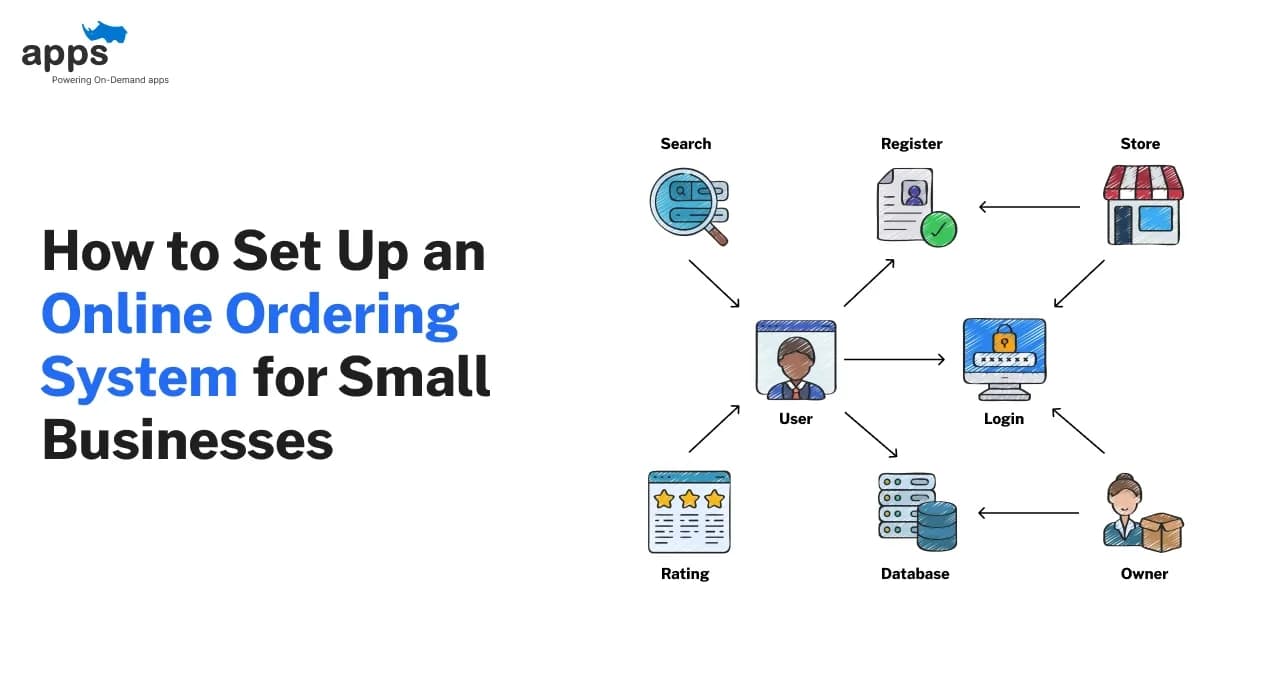
An online ordering system for small businesses is a software platform that lets customers browse your menu or catalog, place orders, and pay online.
At its core, it has a digital storefront (website or app) showing products and prices, an order cart, and secure payment processing. It also includes a backend dashboard where staff can view and manage orders and update inventory.
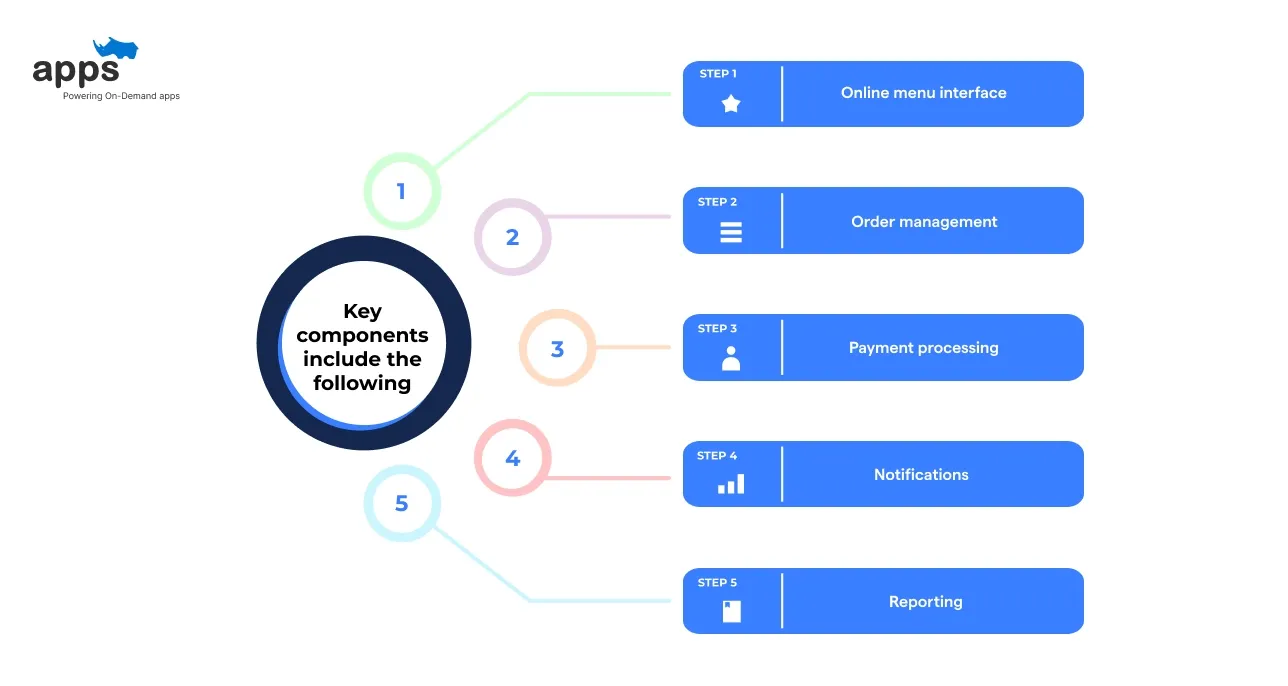
Basic systems may only allow customers to place orders and pay online. More advanced systems add features like inventory tracking, loyalty rewards, delivery routing, and integration with your restaurant's POS or accounting software.
For example, a custom online ordering system for a small business might include kitchen printers, delivery driver tracking, or marketing automation. In contrast, a simple system might let customers order and pay through your existing website.
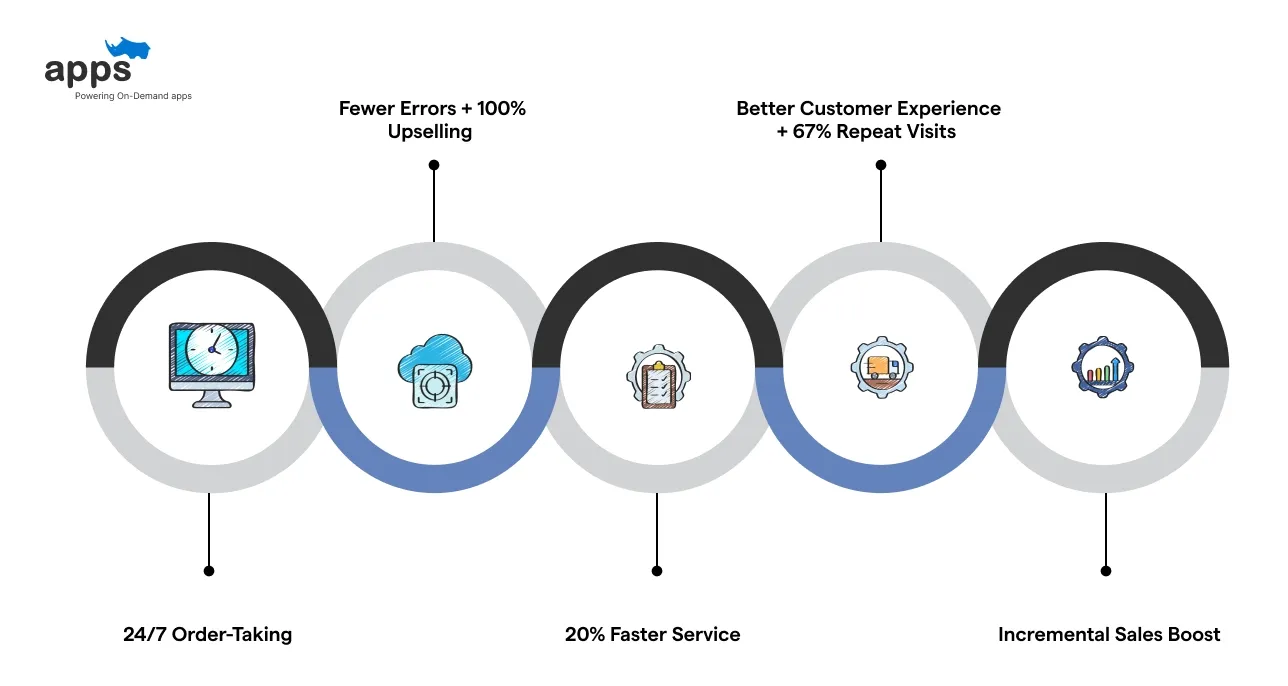
Implementing an online ordering system for a small business brings many advantages. It helps streamline operations and improves the customer experience, driving more sales and loyalty. Key benefits include:
With an online ordering system for small businesses, you can accept orders around the clock, even when your doors are closed.
This turns your website or app into a 24/7 storefront, capturing revenue at all hours. For example, a local cafe can keep earning by fulfilling orders in the morning or late at night without on-site staff.
Manual order taking (phone or in-person) often leads to mistakes. With online orders, customers pick exactly what they want, and the system records the details accurately.
Digital ordering eliminates scribbled notes and misheard instructions, resulting in fewer wrong orders and happier customers.
On top of that, AI order-taking achieved 100% upselling success, consistently suggesting add-ons like fries or bacon during every customer interaction. (Source: Forbes)
Orders come directly to your kitchen or preparation area, reducing delays. Staff can prepare orders before customers arrive, speeding up pickup and delivery.
Integrated online orders and kitchen receipt systems speed up prep times. In fact, businesses often report service is 20 % faster on average compared to traditional methods.
Overall kitchen efficiency improves when orders are queued automatically.
An online ordering system for small businesses ensures customers enjoy a convenient ordering experience from any device. They can see clear menus, customize orders (like topping choices) more easily, and pay digitally.
A smooth online experience can improve satisfaction and build loyalty. As a result, customers who order online return 67 % more frequently than those who don’t. (Source: Fundera)
Many systems let customers save favorite orders or use loyalty points, making them more likely to return.
A well-designed online ordering system for small businesses often increases the average order size. Customers can easily browse add-ons (e.g., sides or drinks) and combos. This boosts the total per order.
Businesses see higher sales when they give customers an easy way to order. Studies show customer spending can jump ~20–30% when they use digital ordering and payment compared to phone or in-person.
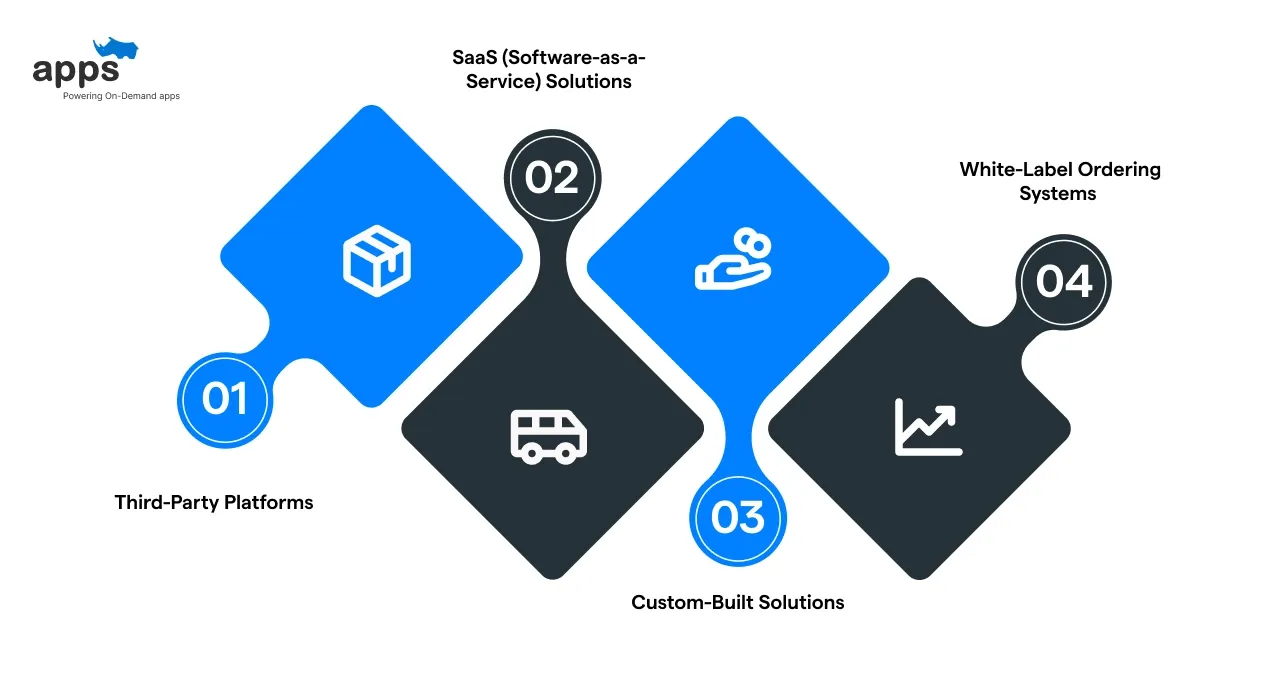
There are several approaches small businesses use to offer online ordering. Each has pros and cons.
Third-party services (like DoorDash, Uber Eats, or Grubhub) let you list your restaurant on a delivery marketplace.
You also compete with many other listings.
Using a third-party online ordering system for a small business means listing your menu on another platform. You’ll get exposure and orders quickly and share revenue with the marketplace.
SaaS ordering systems are off-the-shelf cloud platforms to which you subscribe (often monthly). Examples include Shopify (with an ordering plugin), Squarespace, or specialized restaurant SaaS like Toast, Square Online, or GloriaFood.
SaaS solutions work well for small businesses that want an easy setup without deep custom development.
A custom online ordering system is built specifically for your business (often via a developer like AppsRhino or an in-house IT team).
However, a custom solution can scale with your needs and ultimately pay off if your business grows large enough.
White-label platforms offer ready-made online ordering software that you can brand as your own. AppsRhino provides full-scale ordering systems that allow domain branding, logo placement, features customization, preferred integrations and custom theming.
Pros: Fast launch with full branding, low-code setup, and no revenue sharing. You get a fully branded system without building from scratch.
Cons: Limited backend customization and dependency on the white-label provider’s updates and infrastructure. Also, you don’t get access to the source code since the applicationyou use the platform on a subscription basis.
These platforms Ideal for small & mid-size businesses wanting control over branding and customer experience without investing in full custom development.
No single type is “best” for all businesses. A small business might combine approaches—for example, taking orders on its website (via SaaS or custom) while listing on a delivery app to reach more customers.
Selecting the right online ordering system ensures smoother operations and better customer experiences. It’s important to choose a platform that aligns with your business model, service type, and budget. The right system can directly impact your order volume, delivery speed, and overall profitability.
Each small business has unique needs, so list your requirements first and then match them to a platform that ticks the boxes. Compare vendors carefully—take advantage of free trials and demos to see which solution feels right.
Implementing an online ordering system for a small business requires planning and testing. Here is a step-by-step setup guide.
Start by listing what you need for your online ordering system for a small business (menus, categories, customization options, payment methods, delivery zones, etc.).
Select an ordering system for a small business type or a specific provider based on requirements and budget, and compare multiple solutions.
Sign up and configure the basic settings. Add your business hours, location, taxes, and fees. Create user accounts for staff.
Enter all products or menu items into the system with descriptions, prices, and images. Organize items into categories (e.g., appetizers, entrees, drinks).
Connect a payment gateway (Stripe, Square, PayPal, etc.) so you can accept online payments. Test the payment process to make sure customers can check out smoothly.
Link any integrations like your POS, loyalty program, or delivery management tools. Enable notifications (email/SMS) for incoming orders and order confirmations.
Step 7: Test Thoroughly
Before going live, place test orders covering all scenarios (delivery and pickup). Check that orders flow correctly to your kitchen or fulfillment area. Verify receipts and confirmation messages.
Train staff on how to view and manage incoming orders in the system. Ensure they know how to update order status (e.g., “ready” or “delivered”) and troubleshoot common issues.
Launch the new online ordering system for small businesses on your website or app and inform customers about it (social media, email, in-store signage). Consider offering an initial incentive (like a discount on the first online order) to drive adoption.
Following these steps ensures a smooth rollout. Be patient and gather feedback so that you can make improvements after launch.
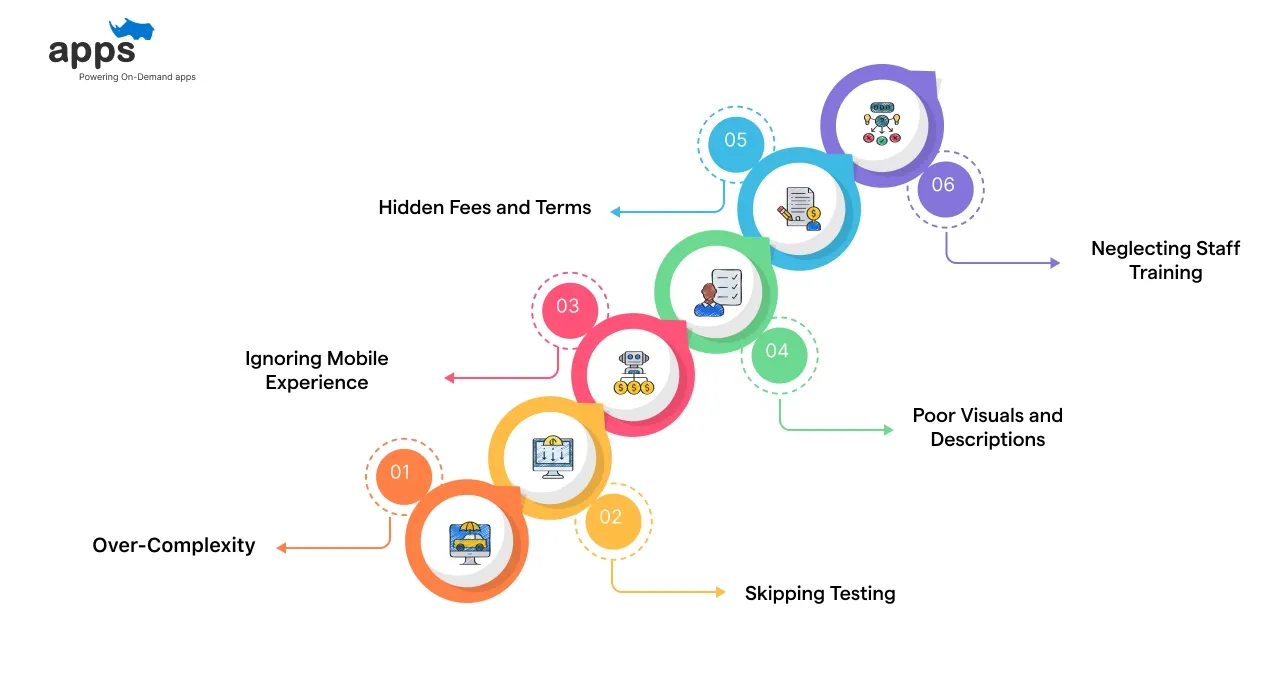
Even the best system won’t help if you fall into common pitfalls.
You’ll get more value from your ordering system by avoiding these mistakes.
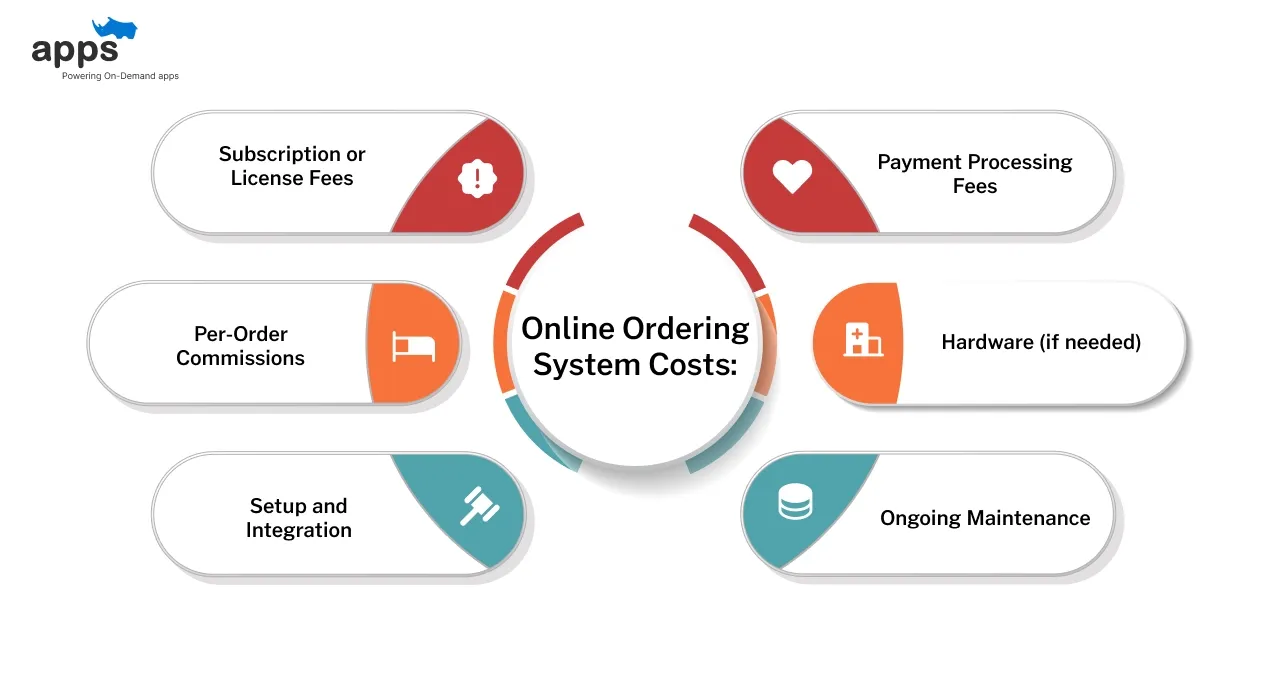
Getting an online ordering system involves more than just a monthly fee. Small businesses should factor in setup charges, transaction fees, commissions, and potential integration costs.
Understanding these expenses upfront helps avoid hidden charges and plan for long-term profitability.
In short, weigh all costs (upfront and ongoing) when budgeting. A cheaper solution now may cost more over time if fees are high.
Several small businesses have seen considerable success after adding online ordering. Here are the top 3 examples for you to learn from.
Problem: As a family-owned restaurant, Ollie’s faced rising third-party delivery fees cutting into margins.
Solution: They partnered with a direct online ordering platform to manage orders and avoid commissions.
Results: The restaurant saved over $2 million in commission fees and saw repeat orders grow by 108%.
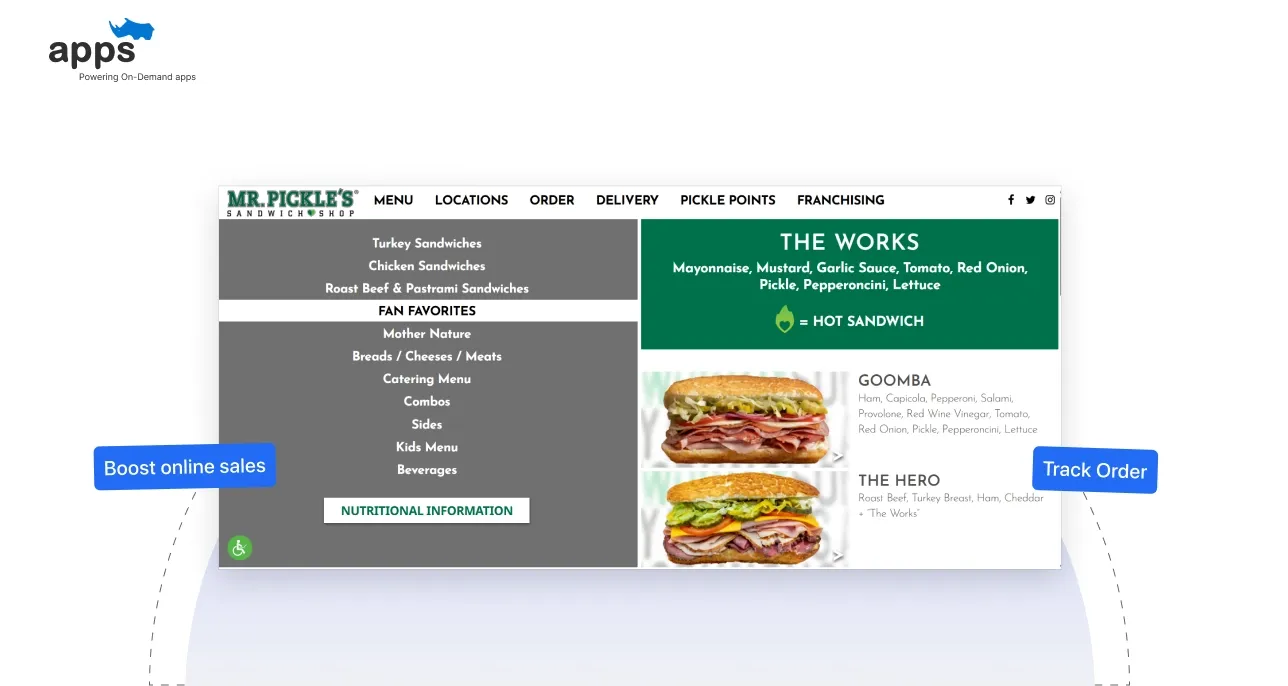
Problem: Mr. Pickles needed a better way to boost online sales and retain loyal customers.
Solution: They launched a branded mobile ordering app with built-in loyalty rewards for direct orders.
Results: Online sales doubled, with first-party orders reaching 42% of total shop sales.
Problem: The store chain wanted to increase fresh-food sales and improve repeat customer engagement.
Solution: They launched an online ordering app featuring loyalty perks for fresh-food orders and promotions.
Results: Overall sales rose by 225%, and average monthly order size grew by 55%.
These cases show owners can unlock significant growth and efficiency with the right online ordering system for small businesses.
Suggested Reading: Online Food Ordering System: 101 Guide
Small businesses that embrace digital ordering gain a competitive advantage. An effective online ordering system for small companies improves customer convenience, reduces errors, and opens new revenue streams.
You can increase sales and streamline operations by carefully choosing and setting up a system. When you’re ready to launch or upgrade your ordering platform, consider partnering with a specialized provider.
For example, AppsRhino offers custom on-demand apps for grocery, food, alcohol, and other delivery needs. Whether you're running a single store, a multi-store chain, or an aggregator platform, AppsRhino can build tailored apps for all user roles—including admin, drivers, customers, and shops.
Key features offered by AppsRhino include:
Their team can build a tailored online ordering system for small businesses that fits your needs. Contact AppsRhino to start the process and get support at every step.
Custom Development
7 Apr 2026
Tell us what your business actually runs on today, and we will map what it takes to make it one system.