


Custom Development
Alcohol Delivery Market Share and Trends: Size, Growth, & Business Opportunities
7 Apr 2026
Imagine running an online store or managing a busy supply chain, and every day you’re juggling dozens (or hundreds) of packages.
If you’re still manually copying tracking numbers into spreadsheets or checking multiple carrier websites, you know how tedious and error-prone it can be. The good news? It doesn’t have to be that way.
Automate shipment tracking addresses these problems through technology to provide real-time shipment feedback without human intervention. This means your staff can focus on strategy and not spend time on mundane data management.
Modern warehouse automation software and custom-built tracking apps make this transformation possible. Whether you're a small eCommerce shop or an enterprise, software-driven automation can simplify operations, reduce errors, and scale with your growing fulfillment needs.
This guide delves into the common challenges associated with manual tracking, clearly defines automated tracking, highlights its key benefits, and outlines implementation steps, recommended tools, real-world examples, potential pitfalls, and emerging trends.
Manually tracking shipments might work if you only ship a few items weekly, but it quickly becomes a nightmare as you scale up.
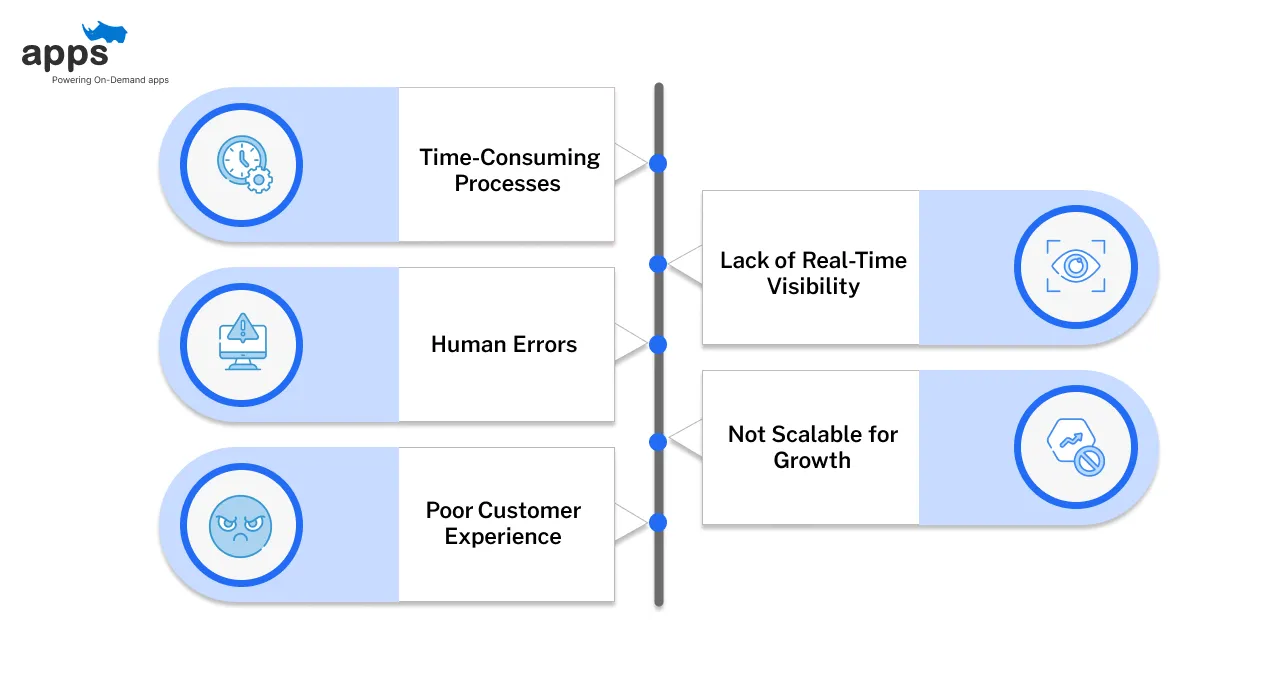
Here are some of the common issues businesses face with old-school tracking methods.
Relying on human effort to track each package is incredibly time-intensive.
Many businesses check individual carrier websites or update Excel sheets for every order. (Source: Shipway) This repetitive work eats up hours that could be spent on more critical tasks.
Instead, if you automate shipment tracking, you save up a lot more time, which can be invested in company growth instead.
With manual data entry, mistakes are bound to happen – a typo in a tracking number or a missed update can cause confusion and delays.
In fact, about two-thirds of fulfillment issues in e-commerce stem from human errors in manual processes. (Source: Accessgroup)
These errors can lead to lost or misrouted packages and unhappy customers.
When tracking by hand, you often don’t know something went wrong until it’s too late.
There’s no easy way to get real-time updates across all shipments. You might not notice a delay until a customer complains. This reactive approach means you’re always a step behind.
Customers who lack shipment updates frequently contact support centers, which overwhelms customer service teams.
Nearly half of consumers (45%) say they are unlikely to continue ordering from a company if it delivers a package late. (Source: Clutch)
Automate shipment tracking addresses this issue directly, significantly reducing customer inquiries and improving overall customer satisfaction by providing timely, accurate updates.
As your business grows, manual tracking simply doesn’t scale. More orders mean exponentially more tracking work.
You might try adding more staff to handle it, but that’s costly and still error-prone. It becomes nearly impossible to keep up if you expand to multiple sales channels or carriers. Your team could burn out trying to manage the volume.
In short, manual shipment tracking can become messy and stressful. It’s like trying to water a garden with a teaspoon – it might get the job done on a small scale, but it’s painfully inefficient for any serious operation. This is where the automate shipment tracking can come in handy.
Automated shipment tracking means using software and technology to monitor your shipments for you, instead of doing everything by hand.
In a computerized system, all your tracking information is gathered and updated in one place without constant manual input.
Here’s how it works in a nutshell.
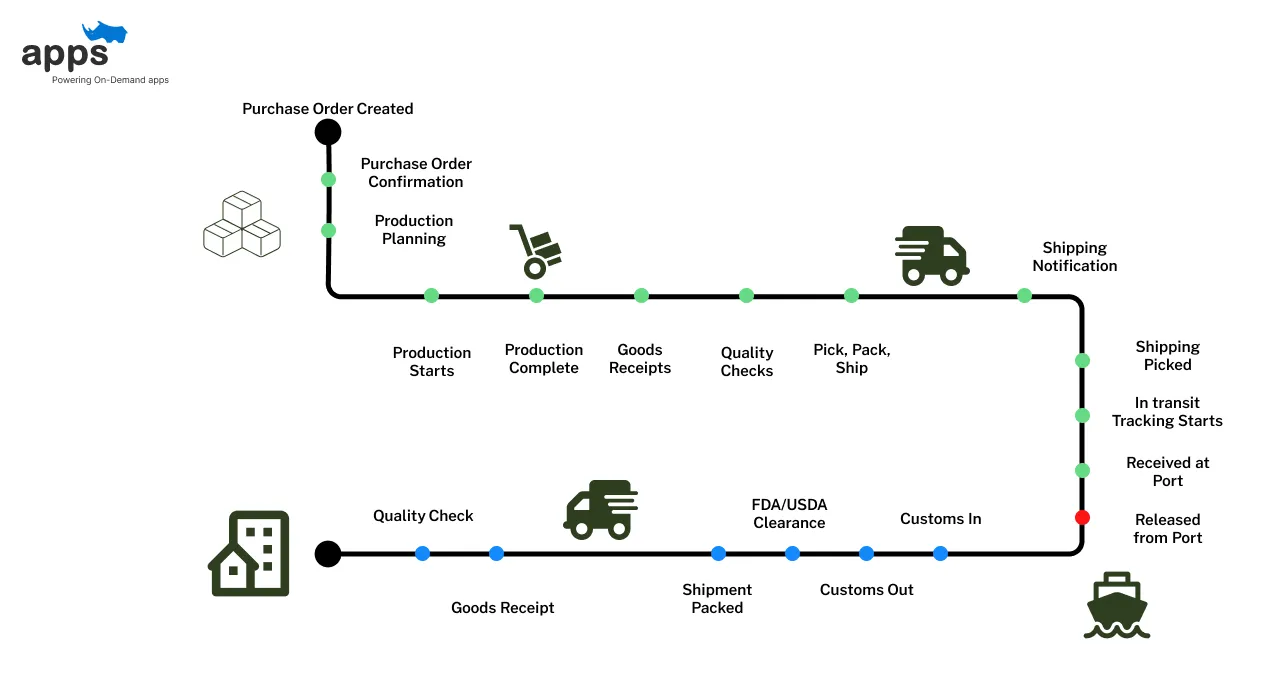
Automated shipment tracking connects your system to shipping carriers using APIs (Application Programming Interfaces) and webhooks.
These connections pull live updates from the airline when a package status changes—no manual input is needed.
All automate shipment tracking updates are automatically collected and displayed in a centralized dashboard, giving your team and customers instant visibility.
Key Features
Many businesses develop custom applications that integrate seamlessly with their warehouse management systems (WMS), carrier APIs, and customer communication tools.
These apps allow deeper control, better branding, and automation features tailored to specific operational workflows.
Together, these features make it easier to automate shipment tracking while improving transparency and customer satisfaction.
Custom apps can integrate tracking capabilities directly into your existing systems, allowing greater control over user experience and internal processes.
Whether it's a branded customer portal or a backend logistics dashboard, software development partners can tailor these tools to your workflow.
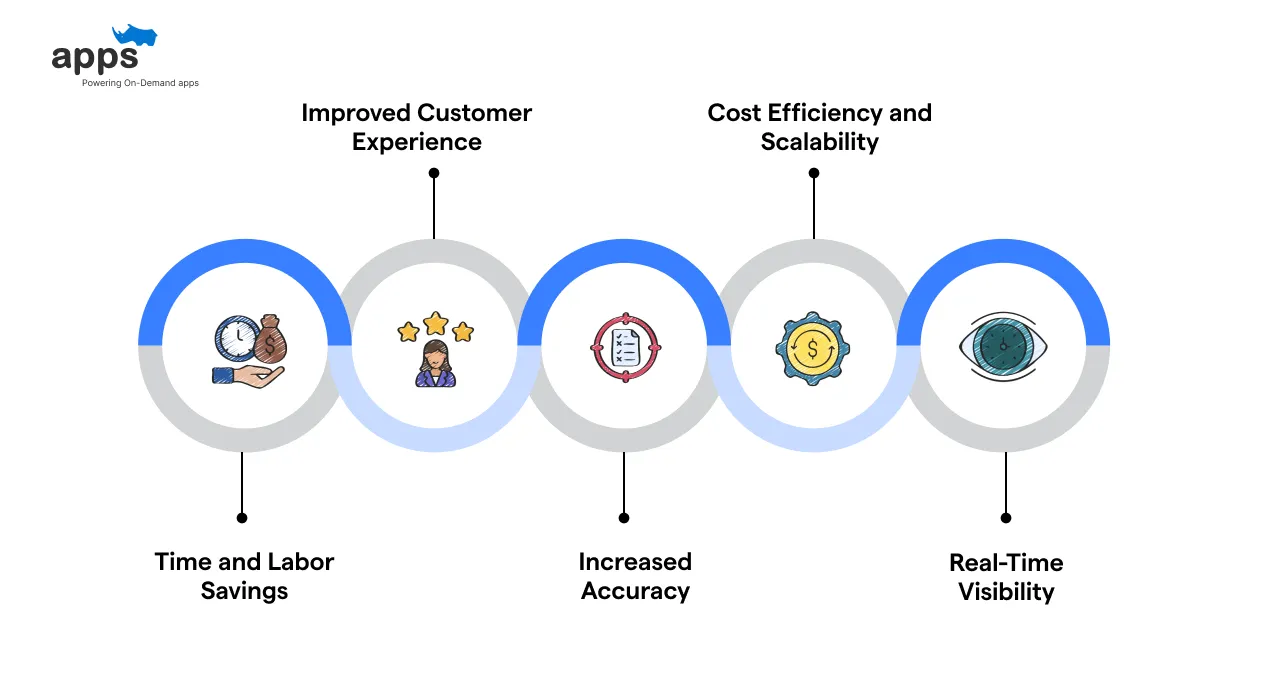
If you automate shipment tracking, it will deliver measurable improvements across operations, customer experience, and scalability.
From real-time visibility to faster workflows, the advantages compound as your business grows.
Automate shipment tracking frees your team from hours of manual work. No more copying and pasting tracking numbers or constantly checking carrier sites – the system handles it.
It also speeds up internal workflows; information flows faster, decisions can be made sooner, and you’re not waiting on someone to update a spreadsheet. In short, you’ll get more done with less effort, which is crucial for any growing business.
Automated shipment tracking solutions significantly reduce data entry errors. Accurate tracking information enhances customer trust, minimizes operational disruptions, and substantially reduces customer complaints.
Improved accuracy also leads to fewer misplaced shipments and less wasted time resolving shipment discrepancies, streamlining operations.
Real-time tracking significantly improves responsiveness. According to a report by Sensitech, sensor-based tracking technology enables companies to improve on-time performance, reduce costs, and proactively communicate more effectively with customers and partners.
Immediate data access ensures teams proactively manage disruptions, maintaining high service standards and customer satisfaction.
Providing real-time shipment updates significantly improves the customer experience.
Companies implementing automate shipment tracking systems often see a substantially reduced tracking-related customer queries, as customers have immediate access to their shipment information.
Clear, timely communication reduces frustration, boosting customer loyalty and satisfaction.
While setting up an automated tracking system may have an upfront cost, it pays for itself quickly. Think about all the labor hours saved when employees no longer have to track shipments manually – that’s a direct cost saving.
These savings support long-term business growth and operational sustainability.
Another significant benefit is customization. With shipment tracking apps, companies can prioritize specific features, like multilingual support, predictive alerts, or custom analytics, designed to meet their exact needs.
AppsRhino, for instance, helps brands develop apps that evolve with their logistics strategy.
Selecting the right tools is essential when you're looking to automate shipment tracking. The following solutions streamline logistics, reduce manual effort, and ensure real-time visibility across carriers.
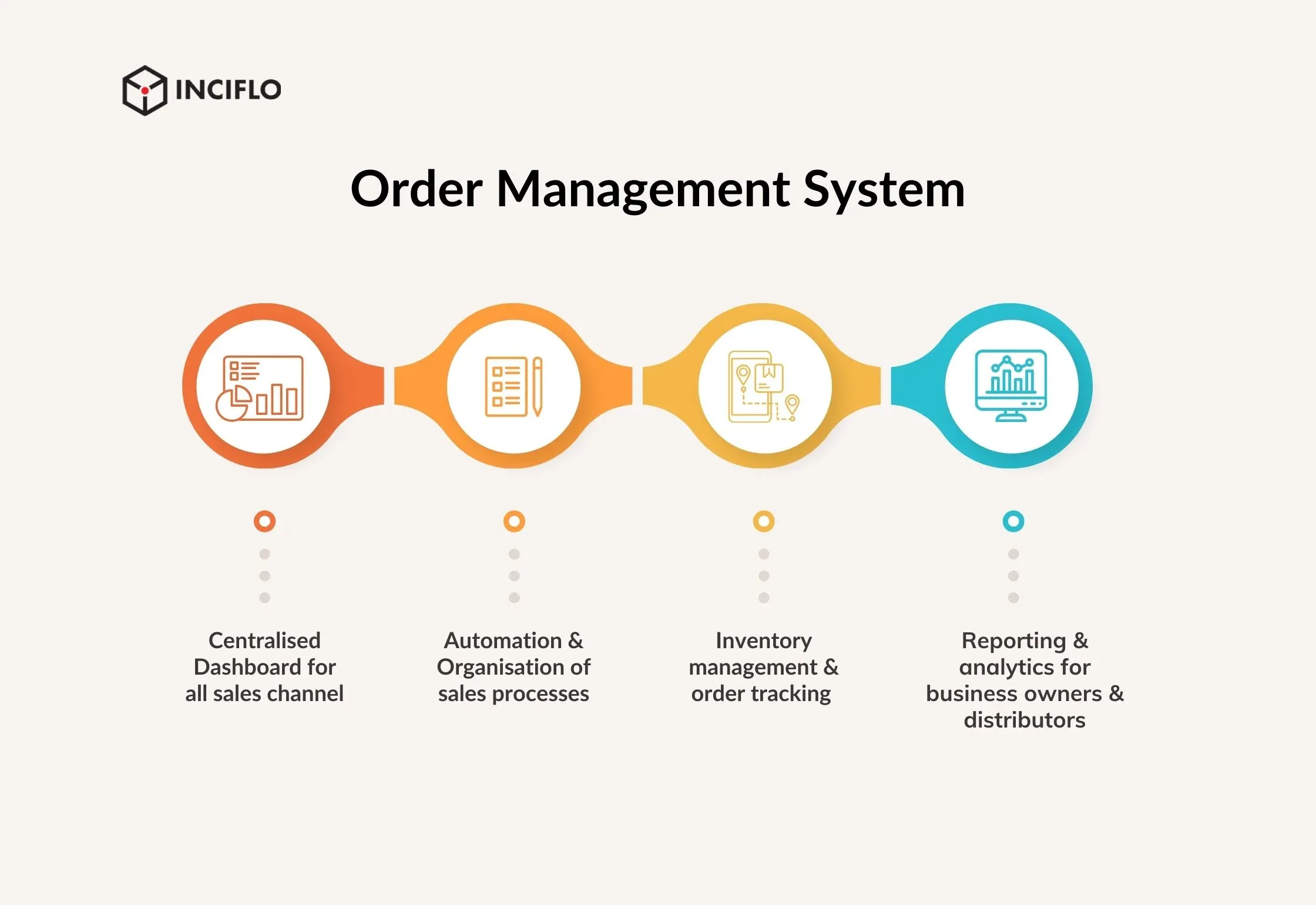
Integrating carrier APIs (like those from FedEx, UPS, and DHL) directly into your system delivers live tracking updates.
These APIs inject real-time data into your platform, eliminating the need for manual checks.
Platforms like AfterShip, parcelLab, and Narvar provide centralized dashboards supporting hundreds of carriers globally.
For instance, AfterShip connects with 900+ carriers, streamlining multi-carrier logistics through a single interface.
Solutions like ShipStation and EasyShip come with built-in automated tracking features. They help synchronize order data, carrier details, and shipping updates in one platform.
This reduces repetitive tasks and enhances order accuracy from the warehouse to the customer’s doorstep.
Tools like UiPath or Microsoft Power Automate can replicate human tracking actions if a carrier lacks a robust API.
RPA automates browser tasks—logging into websites, scraping tracking statuses, and entering data into your system.
When choosing the above tools, evaluate them on the following criteria.
Thorough evaluation ensures you select a solution that aligns with your logistics needs and delivers long-term value.
Implementing an automate shipment tracking system might sound technical, but it mustn’t be daunting.
Here’s a step-by-step roadmap to roll out an automated shipment tracking system in your business.
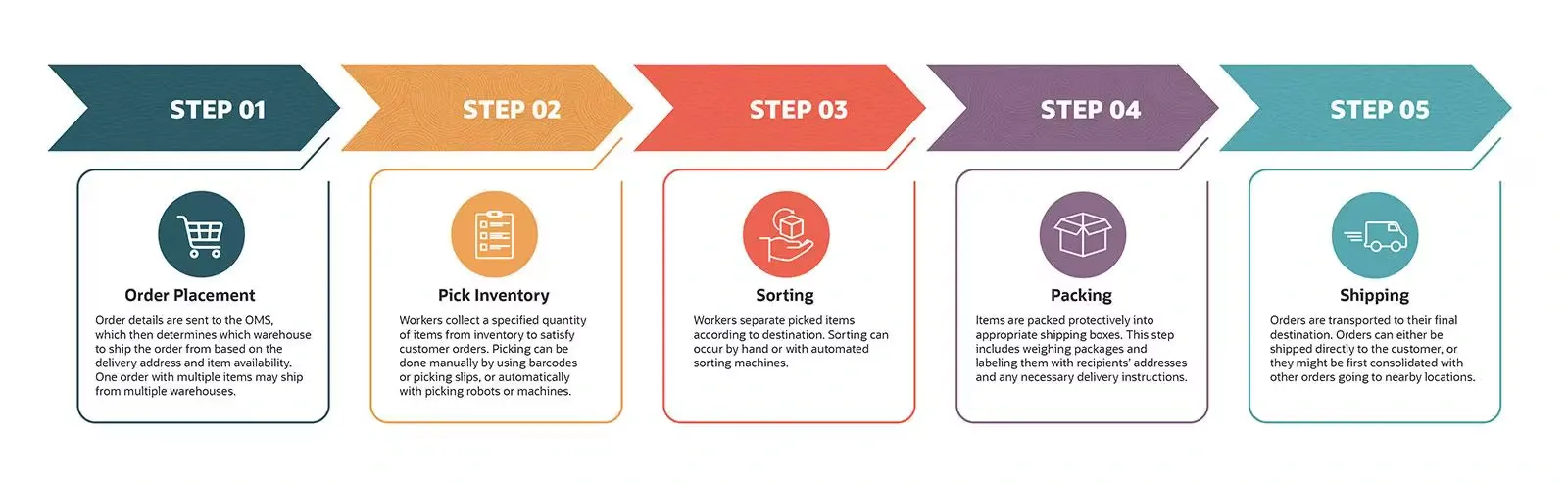
Start by evaluating how you currently track shipments and where the pain points are. How many packages do you ship per day or month?
How many different carriers do you use? Where do delays or errors typically occur?
Also, consider what you want from an automated shipment tracking system – e.g., “I want to reduce customer inquiries” or “I need to consolidate tracking for all five carriers we use.”
This clarity will help you choose the right solution.
Based on your needs, research the tools that might fit. If you’re an e-commerce retailer, maybe a platform like AfterShip or an all-in-one shipping app works.
If you run a more complex operation, maybe an API-based approach or a specific logistics software is better.
Compare features and pricing. Many providers offer demos or free trials – take advantage of those to see the tool in action.
Key things to look for are integration capability (with your shop or systems), ease of use, carrier support, and support/customer service provided by the vendor (you might need help during onboarding).
Once you’ve picked a solution, it’s time to set it up. This usually involves creating an account and connecting it to your sales channels or databases.
For example, if you have an online store on Shopify, you might install the tracking app and grant it access to your orders.
If it’s an API solution, your developer must write a connection between the API and your system.
During this step, you’ll likely input which carriers you use and provide any necessary credentials (some airlines require an API key or account login to fetch tracking info).
The goal is to ensure the tracking tool can automatically pull data for all your shipments.
Next, customize the system to fit your workflows and branding.
Decide what automated notifications you want to send customers (shipping confirmation, out-for-delivery alert, delivery confirmation, delay notices, etc.) and set those up in the tool.
Most platforms let you customize the message templates – you can add your logo, adjust the wording, and choose the timing. Also, configure any internal alerts (e.g., you might set an alert for your team if a shipment is delayed more than 2 days, so customer service can proactively reach out).
If the platform offers a branded tracking page, design it to match your website—tail all the settings – from time zones to languages to data format – to suit your business.
If you have orders currently in transit, you’ll want to get them into the system so they’re tracked. Many tools will automatically sync all open shipments from your integrated channels. If not, you might need to upload a file of current shipments or enter them manually once.
Ensure that from now on, the system is capturing every new order with a tracking number (this might happen automatically if integrated, or through a simple workflow like scanning the tracking barcode into the system at shipment time).
No shipment must fall through the cracks – double-check the first few to confirm everything’s syncing correctly.
Before you entirely rely on the new system, do a test run. Monitor a handful of new shipments through the automated tracker and compare them against the old way.
Are all statuses updating correctly? Did customers receive the notification emails or texts as expected? Open some emails (perhaps send test notifications to your address) to ensure they look right.
If you find any hiccups – maybe a particular carrier isn’t updating, or a notification template has a typo – fix them now.
This pilot phase can be as short as a day or two for smaller volumes, or a complete shipping cycle for more extensive operations. It’s essentially a sanity check that the automation works end-to-end.
Ensure everyone involved knows about the new system and how to use it.
Train your customer support on the new tracking dashboard so they can confidently answer customer questions (“I see your package left our facility and is on its way – here’s the latest update…”).
Train your warehouse/shipping staff on any new steps they need to take (like ensuring orders are appropriately entered into the system or scanning labels if required).
The good news is these tools are usually user-friendly, so training shouldn’t be too tricky – often it’s more about showing what’s available on the screen. Once the team is comfortable, start using the automate shipment tracking system for all shipments. Make it the central hub for shipment status.
Consider Acme Electronics, an online retailer previously struggling with manual tracking inefficiencies.
They transitioned to automated tracking solutions integrated across multiple carriers and their internal systems.
The reduced administrative workload also allowed their team to focus on strategic business improvements.
Enhanced operational efficiency from automation facilitated smoother scaling during peak business periods.
Automating your shipment tracking doesn’t magically solve every problem, and it’s wise to go in with eyes open about potential challenges.
Here are a few challenges and pitfalls to watch out for (and some tips on handling them).
Be mindful of integration complexity when setting up an automated tracking system. Technical expertise may be required to handle intricate integration scenarios involving multiple carriers and systems.
Detailed planning and potential vendor support can simplify integration processes and mitigate unforeseen challenges.
Reliability of automated shipment tracking systems depends heavily on carrier data accuracy. Regularly monitor data feeds to identify and correct discrepancies or delayed updates quickly.
Setting up alerts for inconsistent or missing data ensures rapid issue resolution and maintains customer trust and operational integrity.
Ensure comprehensive carrier coverage in your automated system to avoid gaps in tracking capabilities. Some smaller or regional carriers lack robust integration options.
Use supplementary tools like RPA to bridge gaps and ensure consistent carrier tracking capabilities.
Automation tools typically incur ongoing operational costs. Regularly evaluate cost-effectiveness against performance improvements to maintain a positive ROI.
Careful monitoring helps ensure automation remains financially sustainable and continually beneficial to your business.
As customer expectations evolve, so does the technology powering shipment tracking. The future promises more precision, transparency, and automation across every stage of the delivery journey.
IoT devices revolutionize supply chain management by providing detailed, real-time tracking, including temperature and humidity. This enhanced visibility allows businesses to manage potential issues related to shipment conditions proactively, ensuring product quality and customer satisfaction.
IoT tracking significantly enhances shipment visibility, allowing businesses to manage potential issues related to sensitive cargo proactively.
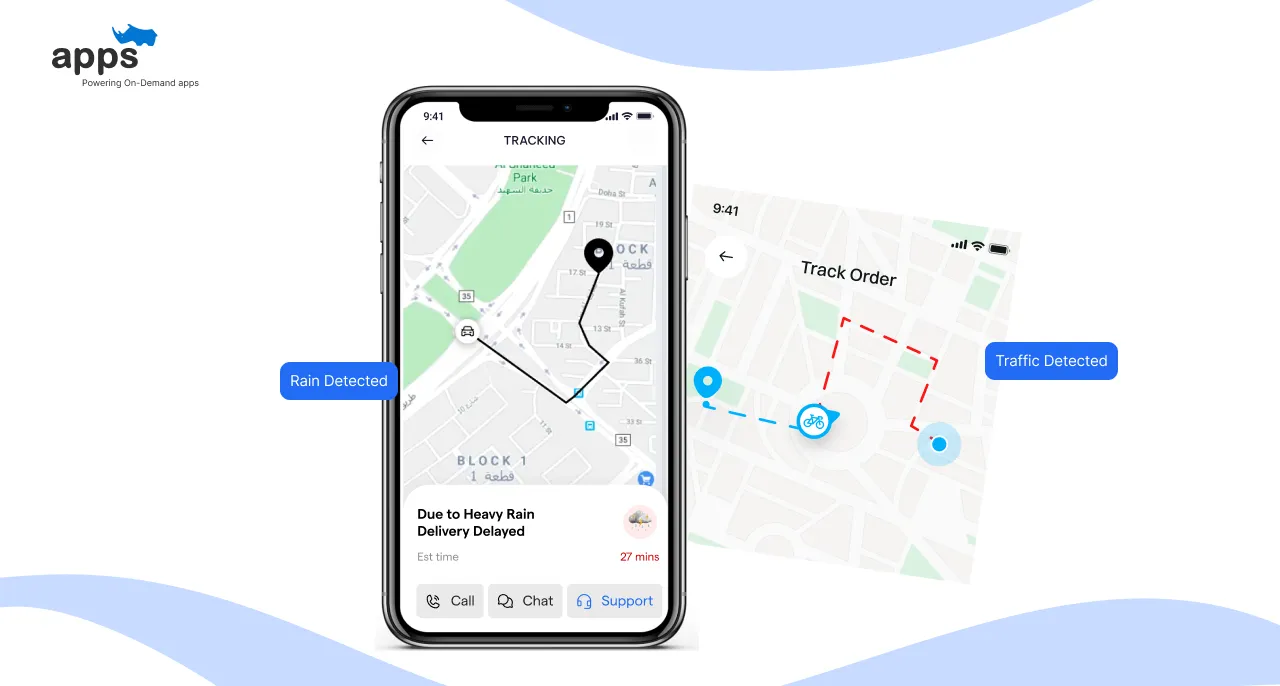
Artificial intelligence is increasingly utilized to predict and mitigate shipment delays proactively. AI analyzes weather, traffic conditions, and historical data to optimize routes and delivery times.
Implementing AI-driven analytics ensures businesses remain agile, responsive, and highly reliable in their delivery operations.
Blockchain technology promises enhanced security, transparency, and traceability in shipment tracking. Blockchain records shipment transactions securely and transparently, reducing fraud and errors.
Adopting blockchain technology ensures high-value or sensitive shipments are reliably tracked, building increased customer and stakeholder trust.
It is essential to automate shipment tracking for any modern e-commerce or logistics operation to enhance efficiency, accuracy, and customer satisfaction.
The numerous benefits, ranging from significant time and cost savings to improved scalability, make automation an apparent strategic choice.
Yes, there’s a bit of effort upfront to get set up, and you’ll need to choose the right tools and processes for your situation. But as we’ve seen, even a modest improvement like reducing delays by 30% or cutting support tickets can have a significant impact (Source: fastercapital).
Starting with a clear assessment and gradually integrating robust tracking solutions enables a smooth transition. Embrace this technological shift to stay competitive, enhance operational excellence, and deliver unmatched customer service.
Platforms like AppsRhino can help tailor logistics solutions to your operational needs, ensuring a seamless integration and optimized tracking processes.
Custom Development
7 Apr 2026
Tell us what your business actually runs on today, and we will map what it takes to make it one system.