
Custom Development
Alcohol Delivery Market Share and Trends: Size, Growth, & Business Opportunities
7 Apr 2026
Automating the employee onboarding process has become essential. It saves time and improves the new-hire experience. An optimized digital onboarding process helps new employees get up to speed quickly while cutting out repetitive paperwork.
As of 2025, about two-thirds of U.S. organizations use AI tools in hiring and onboarding processes. (Source: ResumeBuilder)
This shift reflects a growing trend: businesses are eager to automate employee onboarding to stay competitive.
In fact, 70% of HR organizations have implemented some form of HR automation. (Source Gitnux.org) Whether you manage a startup or a large enterprise, learning to automate employee onboarding can lead to significant efficiency gains.
For companies in the consideration stage, automate employee onboarding can be a game-changer.
Studies also show that an intense onboarding process can increase new-hire retention by 50% or more, making automated employee onboarding a wise investment for long-term talent management. (Source: Oak)
Manual onboarding is often slow and error-prone. HR teams juggle paperwork, emails, and spreadsheets for each new hire.
These delays and errors drain time and money. For these reasons, many companies aim to automate employee onboarding and avoid these pitfalls.
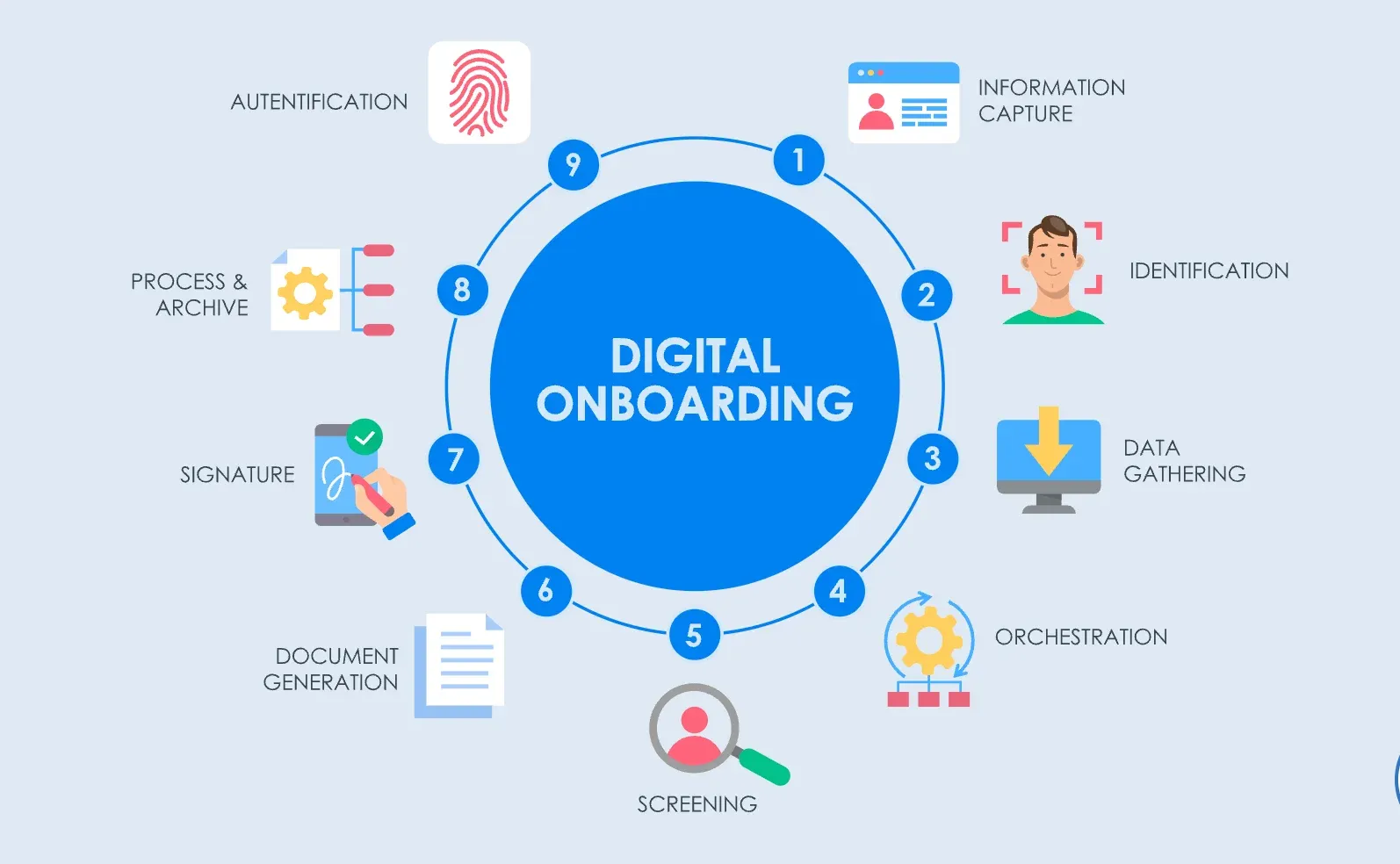
Automated employee onboarding uses software tools and digital workflows to guide new hires through the process with minimal manual effort.
The system delivers digital forms and checklists to each new employee. It can automatically set up accounts, schedule training, and send reminders.
For example, an automated system might collect a new hire’s data once. It can then create their email account, set up payroll access, and enroll them in benefits without extra HR input.
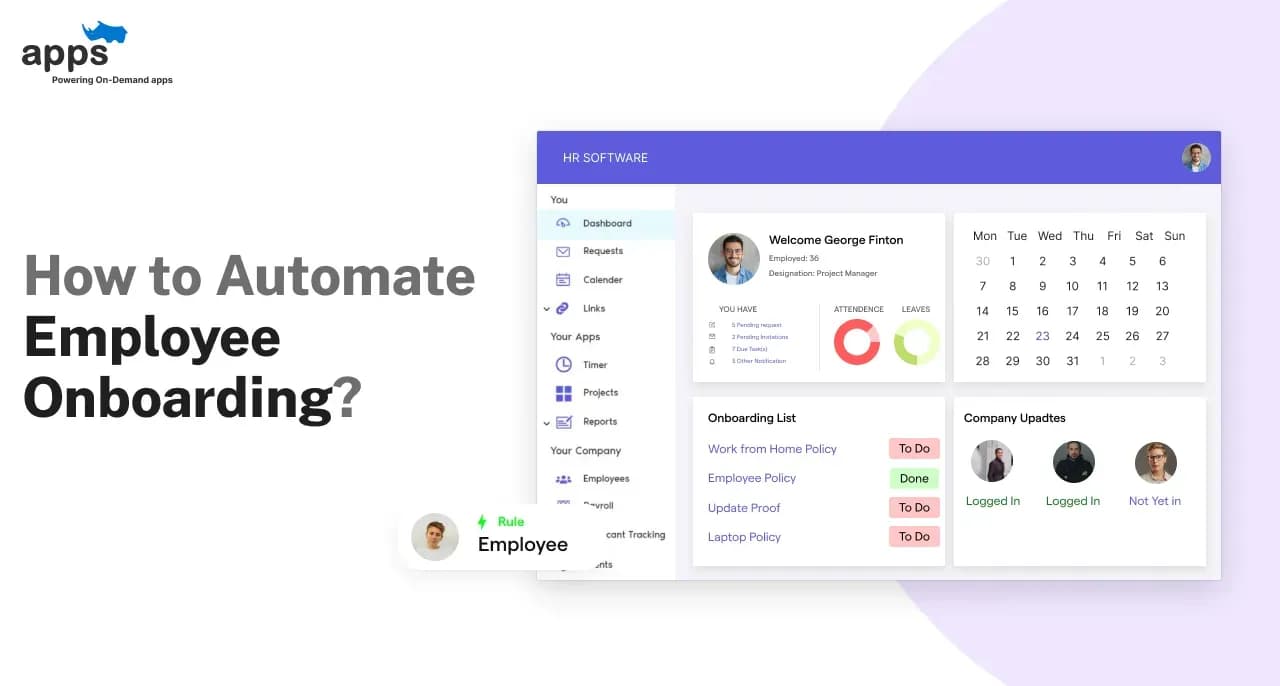
Modern onboarding software includes self-service portals and dashboards to track progress. These platforms automatically send welcome emails, policy documents, and task lists.
The goal is to ensure nothing is missed and every new hire follows the same quality process. In practice, automated employee onboarding replaces manual tasks with digital workflows.
Instead of HR manually sending reminders or chasing paperwork, the system triggers each step at the right time. Overall, it makes onboarding faster, more scalable, and more consistent.
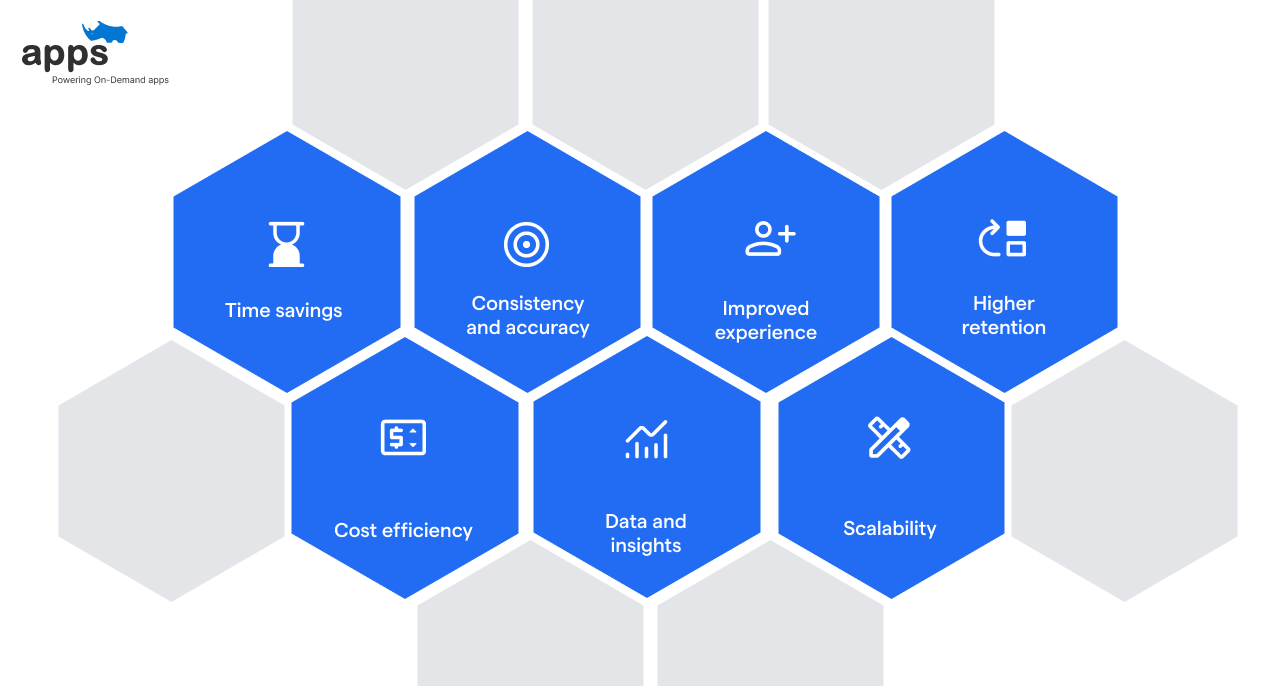
Switching from manual processes to automated employee onboarding has measurable results. These benefits impact HR teams and new hires, from time savings to better retention.
Time savings: Automated onboarding significantly cuts hours spent on manual tasks like data entry and document distribution.
HR and managers can focus on meaningful work instead.
Consistency and accuracy: Automated workflows ensure every hire gets the same steps, from forms to training.
This reduces errors and compliance risks. Automated employee onboarding ensures no steps are skipped.
Improved experience: New hires get instant guidance through digital checklists and timely emails.
This clarity boosts engagement and helps new employees feel supported from day one.
Higher retention: Companies see better retention with good onboarding. Automate employee onboarding can raise retention—studies show a 16% increase in new-hire retention and an 18% boost in initial performance (Source: Shortlister). Another study found that top-tier onboarding improves retention by about 50% (Source: UserGuide).
Scalability: As hiring grows or spikes seasonally, automated processes can scale up without extra staff.
Standardized workflows handle more new hires without chaos.
Data and insights: Modern onboarding platforms track progress and gather data.
HR can see which steps slow down hires and continually improve the process.
Cost efficiency: Automated onboarding reduces manual labor and lowers turnover.
Faster ramp-up means productivity sooner, and fewer mistakes save money in the long run.
To automate employee onboarding effectively, you need a clear step-by-step roadmap.
These steps will guide your transition from manual processes to a scalable digital workflow.
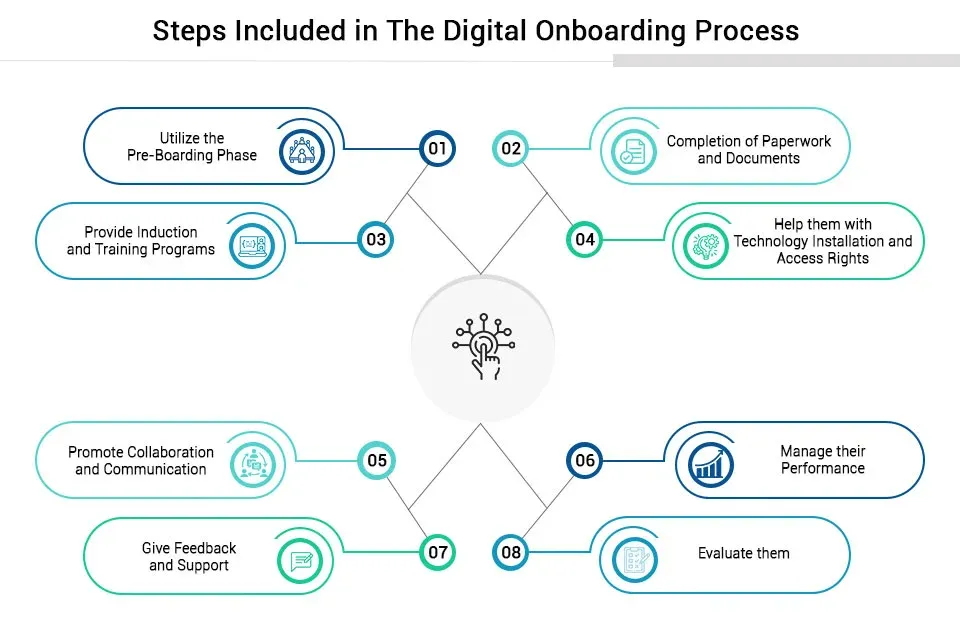
First, list every task, form, and communication in your onboarding process. Include paperwork, approvals, and training. This audit reveals bottlenecks and redundancies. Understanding the current workflow helps you decide what to automate.
The steps to follow are mentioned below.
Decide what you want to achieve (e.g., save time, improve consistency, boost retention). Gather input from HR, IT, and managers. Determine needed features like e-signatures, self-service portals, or integrations. Setting clear goals keeps your automated onboarding project focused.
The steps to follow are mentioned below.
Compare HR software and onboarding platforms that fit your needs. Some companies use an HRIS with onboarding modules; others prefer dedicated onboarding apps. Look for solutions integrator, HRIS, and IT systems. Ensure the software can handle compliance tasks and scale with your company’s growth.
The steps to follow are mentioned below.
Convert each paper form and email into digital steps. For example, create online forms for tax documents and use automated checklists. Use the tool’s workflow builder to send notifications and reminders. Set up triggers to automatically create accounts and IT requests when a candidate is hired. First, keep workflows as simple as possible.
The steps to follow are mentioned below
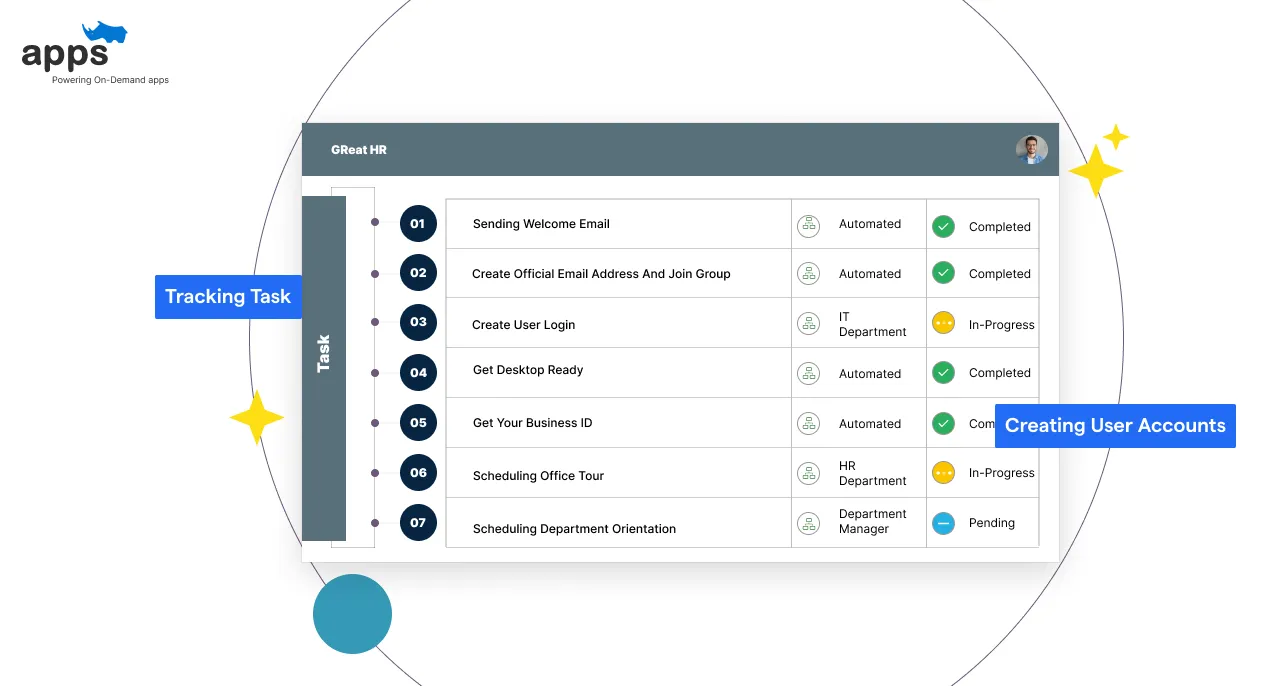
Use your software to automate routine tasks. Have the system send welcome emails on day one, assign training modules, and create user accounts. Automate reminders for incomplete tasks. Integrate with IT tools (like automatically creating user logins) so new hires get access without manual steps. Every automated step saves HR time.
The steps to follow are mentioned below
Run a pilot with a small group of new hires first. Check for issues and fix bugs. Train HR staff and hiring managers on the new process. Provide guides or workshops so everyone knows how the automated system works. Encourage feedback from new hires and HR about the experience.
The steps to follow are mentioned below
After rollout, track metrics such as completion rates and time to productivity. Gather feedback from new hires. Use this data to refine your process. Some tasks still need human oversight. Continuously improve the automated onboarding workflow for better results.
The steps to follow are mentioned below
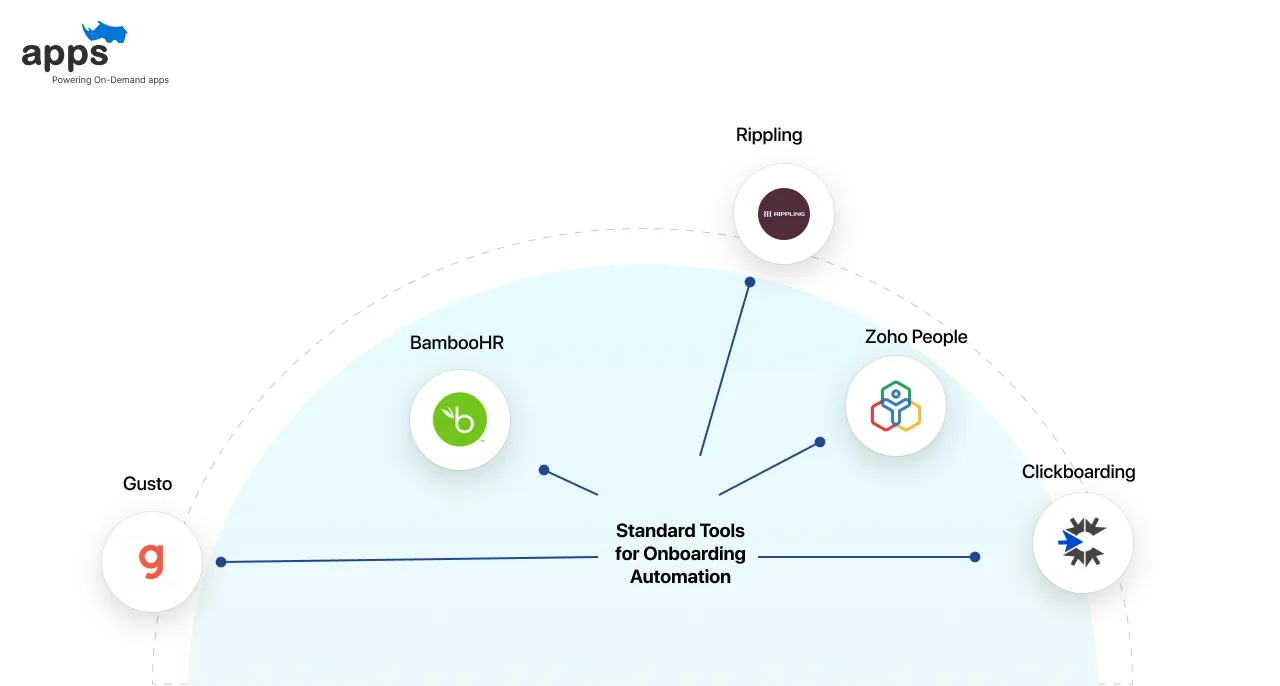
Several software solutions help automate employee onboarding efficiently. Each tool comes with unique features tailored for different company sizes and needs.
BambooHR: Best for small and mid-sized firms. Features include e-signatures, training workflows, and self-service portals.
G2 Rating: 4.4/5 | Pricing: $6–$12/user/month
Gusto: Combines payroll, HR, and onboarding: Automates tax forms, IT provisioning, and benefits.
G2 Rating: 4.6/5 | Pricing: $40 base + $6/user/month
Rippling: Offers IT and HR automation. Onboards employees and devices in under 90 seconds.
G2 Rating: 4.8/5 | Pricing: Custom
Clickboarding: A Dedicated onboarding experience platform. Focuses on candidate engagement.
G2 Rating: 4.5/5 | Pricing: Custom
Zoho People: All-in-one HR solution with workflows and document management.
G2 Rating: 4.2/5 | Pricing: Starts at $1/user/month
Onboarding automation saves time, boosts productivity, and frees HR to focus on what matters, which is people. Here are two real-world success stories.
Problem: Manual onboarding processes caused delays and data errors across paperwork, affecting 22% of forms for 200 monthly hires.
Solution: Implemented a custom automation workflow to eliminate repetitive tasks and reduce dependency on manual data entries.
Results: Cut processing time by 68%, saved 200+ executive hours monthly, and allowed leadership to focus on strategic initiatives. (Source Beecker).
Problem: A fast-growing tech team struggled with redundant onboarding steps across six platforms, leading to inefficiency and email overload.
Solution: Unified tools into one automated workflow, reducing task duplication and minimizing back-and-forth communications.
Results: Saved 10 hours per new hire and boosted productivity ramp-up by 20%, allowing HR to invest time in coaching. (Source: Rezolve.ai)
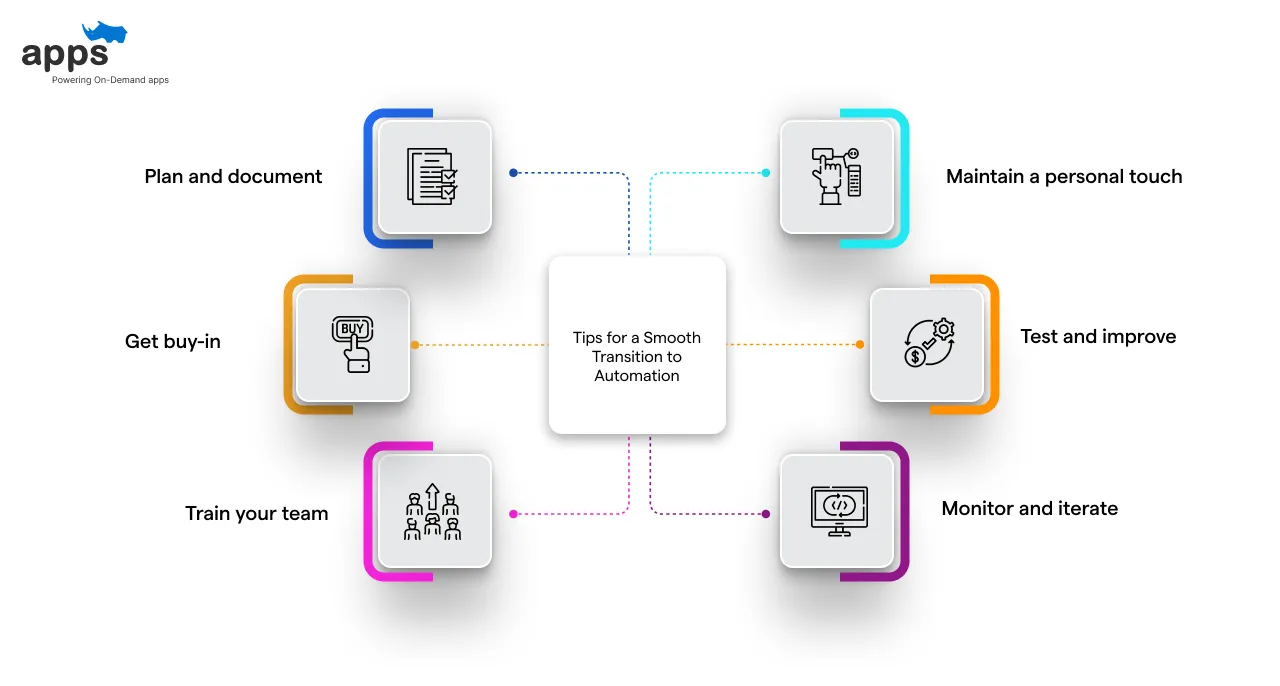
Transitioning to automated onboarding requires planning and support. These tips will help ensure a smooth, efficient shift from manual processes.
Plan and document: Map your current onboarding steps and decide which tasks to automate first. Clear documentation helps you choose the right tools.
Get buy-in: Involve HR, IT, and managers early. Explain the benefits of automated onboarding (time savings, accuracy) so everyone supports the change.
Train your team: Provide training for HR staff and hiring managers. Ensure they know how to use the new system and where to get help.
Maintain a personal touch: Automation shouldn’t eliminate human interaction. Schedule a welcome call or assign a mentor for each new hire to keep the experience friendly.
Test and improve: Pilot the system first with a small group of hires. Collect feedback and track key metrics. Use this data to refine your automated workflows.
Monitor and iterate: Track how well new hires complete onboarding tasks after rollout. Use surveys and analytics to spot issues and adjust your processes as needed.
Employee onboarding is too important to leave to manual processes. Automated employee onboarding brings speed, consistency, and a better experience.
New hires get up to speed faster, and HR teams spend their time on people, not paperwork. Any company can build a smooth automated onboarding process by following the steps above and using the right tools.
This can boost retention, save costs, and ensure each new team member feels welcome from day one. Embracing automation in onboarding is an investment that pays off in productivity and loyalty.
For companies seeking a custom solution, AppsRhino offers expert development of HR and recruitment platforms.
The team specializes in designing tailored workflows that automate every stage of the hiring process and efficiently manage employee lifecycles.
This approach ensures a seamless, end-to-end onboarding experience aligned with unique business requirements, driving increased efficiency and enhancing the overall candidate and employee journey.
Custom Development
7 Apr 2026
Tell us what your business actually runs on today, and we will map what it takes to make it one system.